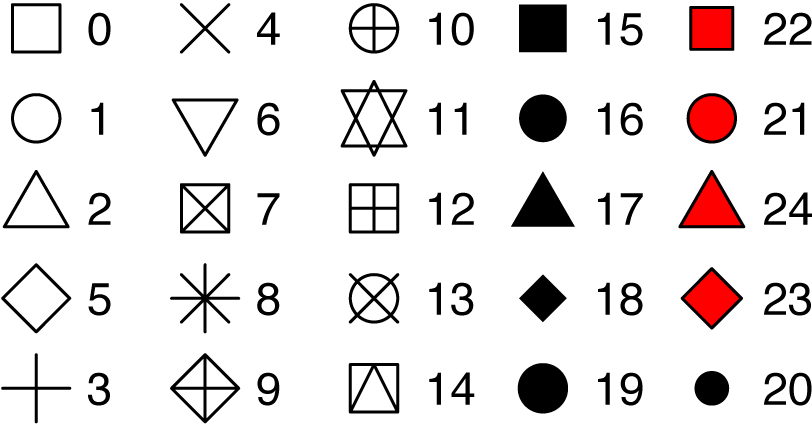
ggpubr::show_point_shapes()
## Scale for y is already present.
## Adding another scale for y, which will replace the existing scale.
Sunday, May 28, 2023
In ggplot, point shapes can be specified in the function geom_point(). Key arguments include:
ggpubr::show_point_shapes()
## Scale for y is already present.
## Adding another scale for y, which will replace the existing scale.
library(ggplot2)
# Change shape, color and size
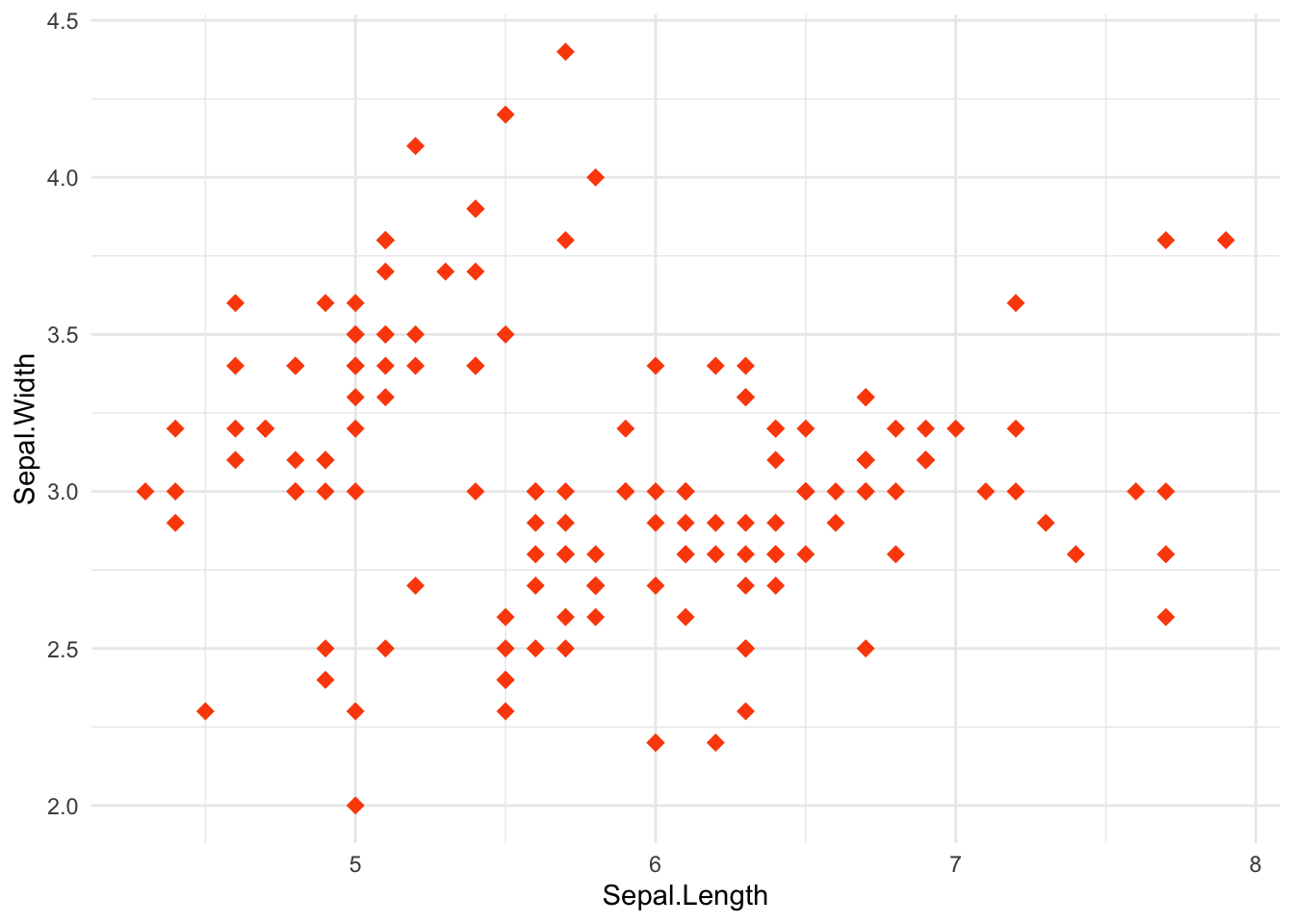
ggplot(iris, aes(Sepal.Length, Sepal.Width)) +
geom_point(shape = 18, color = "#FC4E07", size = 3)+
theme_minimal()
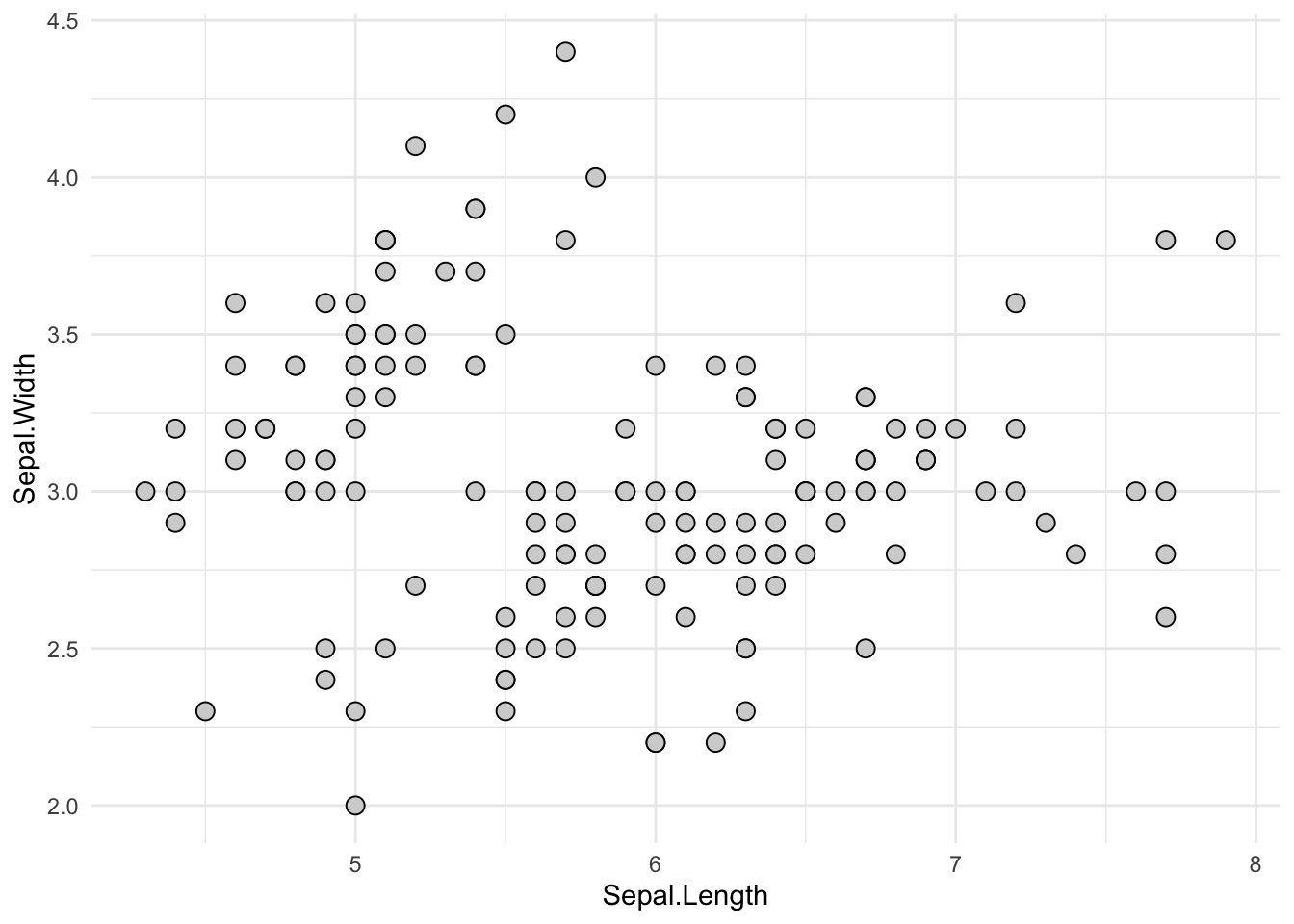
# Change background fill and line color
ggplot(iris, aes(Sepal.Length, Sepal.Width)) +
geom_point(shape = 21, fill = "lightgray",
color = "black", size = 3)+
theme_minimal()
# Change point shapes and colors by groups
ggplot(iris, aes(Sepal.Length, Sepal.Width)) +
geom_point(aes(shape = Species, color = Species), size = 3) +
scale_shape_manual(values = c(5, 16, 17)) +
scale_color_manual(values = c("#00AFBB", "#E7B800", "#FC4E07"))+
theme_minimal() +
theme(legend.position = "top")
---
title: "Tips for using shapes for ggplot2"
date: 2023-05-28
# date-modified: 2023-04-05
categories:
- r
- ggplot2
- shapes
image: shape.png
description: Change ggplot point shape values. Use special point shapes, including pch 21 and pch 24. The interesting feature of these point symbols is that you can change their background fill color and, their border line type and color
---
```{r setup, include=FALSE}
knitr::opts_chunk$set(
# fig.width = 6,
# fig.height = 3.8,
fig.align = "center",
# fig.retina = 3,
out.width = "100%",
collapse = TRUE
)
```

In ggplot, point shapes can be specified in the function geom_point(). Key arguments include:
- shape: numeric values as pch for setting plotting points shapes.
- size: numeric values cex for changing points size
- color: color name or code for points.
```{r}
ggpubr::show_point_shapes()
```
```{r}
library(ggplot2)
# Change shape, color and size
ggplot(iris, aes(Sepal.Length, Sepal.Width)) +
geom_point(shape = 18, color = "#FC4E07", size = 3)+
theme_minimal()
# Change background fill and line color
ggplot(iris, aes(Sepal.Length, Sepal.Width)) +
geom_point(shape = 21, fill = "lightgray",
color = "black", size = 3)+
theme_minimal()
# Change point shapes and colors by groups
ggplot(iris, aes(Sepal.Length, Sepal.Width)) +
geom_point(aes(shape = Species, color = Species), size = 3) +
scale_shape_manual(values = c(5, 16, 17)) +
scale_color_manual(values = c("#00AFBB", "#E7B800", "#FC4E07"))+
theme_minimal() +
theme(legend.position = "top")
```
## Reference
- [How To Get the Default Color Codes of ggplot2?](https://datavizpyr.com/how-to-get-the-default-color-codes-of-ggplot2/?amp=1)
- [pch in R : built-in shapes in R](https://datavizpyr.com/pch-in-r-built-in-shapes-in-r/?amp=1)