---
title: "Equalizing Bar Widths"
date: 2023-03-06
categories:
- r
- ggplot2
image: barplot.png
---
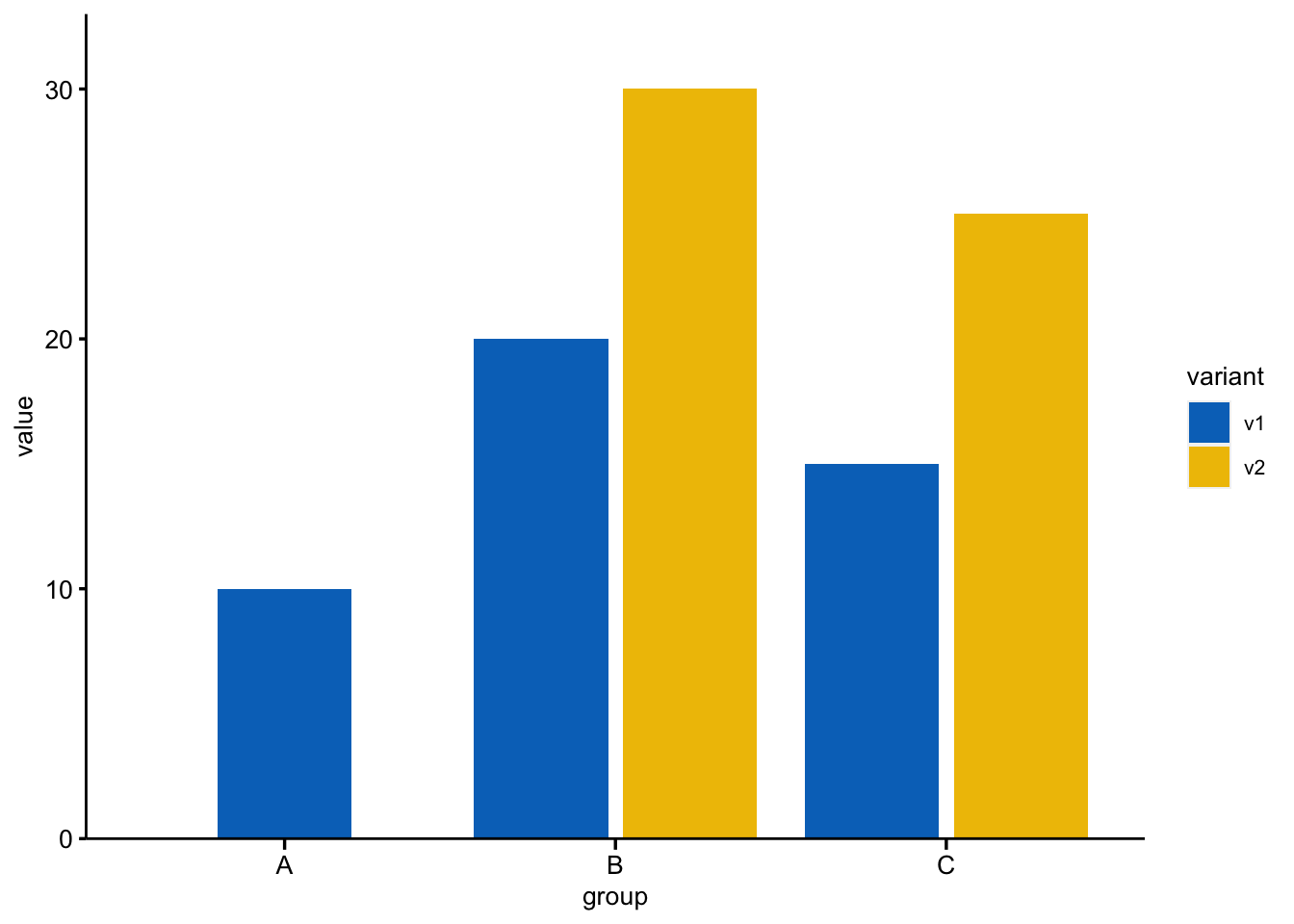
Make the widths of bars to be same when the level of subgroups are not equal
```{r, load-libraries-data, warning=FALSE, message=FALSE}
### ---------
library(ggplot2)
library(ggsci)

theme_set(
    theme(
        text = element_text(size = 10, family = "Arial"),
        panel.background = element_rect(fill = NA, color = NA),
        axis.title = element_text(size = 10, color = "black"),
        axis.text = element_text(size = 10, color = "black"),
        # axis.text.x = element_text(angle = 45, hjust = 1, vjust = 1),
        axis.ticks.length.x = unit(0.3, "lines"),
        axis.line = element_line(colour = "Black"),
        axis.ticks = element_line(colour = "black", linewidth = 0.6),
        plot.title = element_text(face = "bold", hjust = 0.5, size = 10)
    )
)
# Create a sample dataframe
df <- data.frame(
    group = c("A", "B", "B", "C", "C"),
    variant = c("v1", "v1", "v2", "v1", "v2"),
    value = c(10, 20, 30, 15, 25)
)

# Specify the widths for each group and variant
widths <- data.frame(
    group = c("A", "B", "C"),
    v1 = c(0.4, 0.8, 0.8),
    v2 = c(0, 0.8, 0.8) # set width to 0 for variant v2 in group A
)

# Create the barplot with position_dodge2
ggplot(df, aes(x = group, y = value, fill = variant)) +
    geom_bar(
        stat = "identity",
        position = position_dodge2(preserve = "single", width = widths)
    ) +
    scale_fill_jco() +
    scale_y_continuous(
        expand = expansion(mult = c(0, 0.1))
    ) +
    scale_x_discrete(breaks = c("A", "B", "C")) # Ensure all groups are displayed in x-axis
# ggsave(
#   plot = p,
#   filename = "barplot.png",
#   width = 4,
#   height = 3,
# )
```
In this example, we set widths to be a data frame that specifies the widths for each group and variant. We set the width for v2 in group A to 0 to hide the bar for that variant. Then, we use position_dodge2 with preserve = "single" and the width argument set to widths to create the barplot with different bar widths for each group and variant.